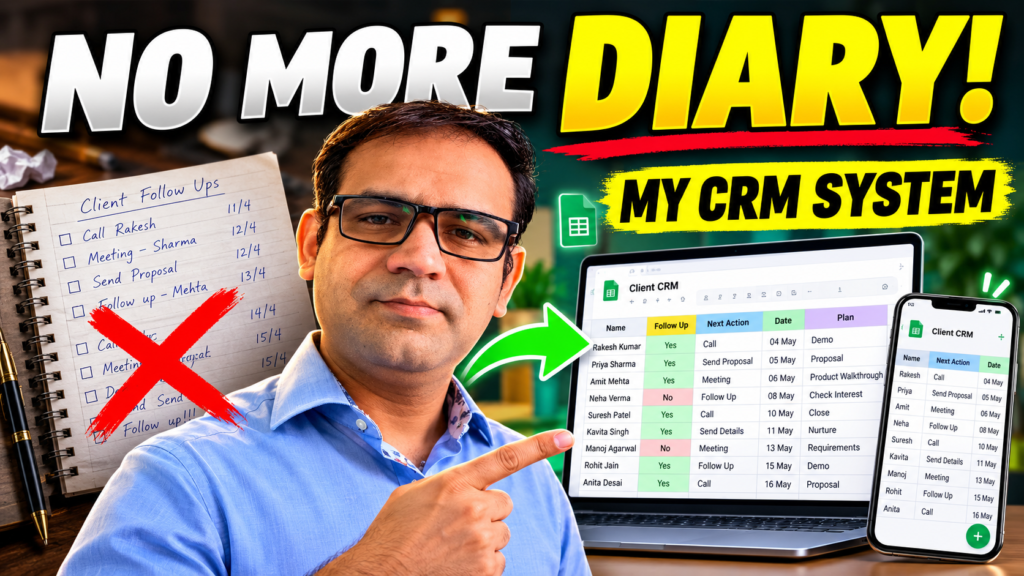
For a long time, I was managing my daily business follow-ups in a very simple way: a diary.
Client calls, pending quotations, next-day meetings, reminders, payment follow-ups — sab kuch diary mein likhta tha. It worked, but only as long as the diary was with me.
The problem started when I was outside the office.
Sometimes I remembered an important follow-up while travelling. Sometimes a client called and I wanted to immediately note the next action. And sometimes I simply wanted to check what I had planned for the next day.
But if the diary was sitting on my desk, I had no quick way to update or check anything.
That made me think:
Why Am I carrying my business follow-up system in a notebook when I can carry it in my phone?
The Problem Was Not the Diary
There is nothing wrong with using a diary.
In fact, I still like writing things down.
The real issue was accessibility.
My business work is not limited to one desk. I may be at the office, visiting a client, travelling, or working from somewhere else. So I needed a system that could move with me.
I did not want a complicated CRM with dozens of features.
I simply wanted to know:
- Which client needs a follow-up?
- What is the next action?
- When should I contact them?
- What is pending?
- What do I need to do tomorrow?
That was it.
So I Built a Simple CRM in Google Sheets
Instead of searching for a complicated software solution, I created a simple CRM workflow in Google Sheets.
The idea was very basic:
Every important client or lead gets a row.
Then I can record things like:
Client Name
Follow-Up Status
Next Action
Follow-Up Date
Current Status
Remarks / Plan
Now, if I speak to a client and the next step is to send a quotation, I can update it immediately.
If a client asks me to call again after three days, I can record that too.
And if I want to see tomorrow’s plan, I can simply filter or check the sheet.
The Biggest Benefit: I Can Access It Anywhere:
This was the main reason I created the system.
Because the CRM is stored online, I can open it from my laptop, mobile phone, or any device where I have access.
I no longer have to think:
“Diary office mein reh gayi hai.”
If I am outside and a client calls, I can update the CRM from my phone.
If I am sitting in the office, I can manage it properly from my laptop.
And if I want to plan the next day at night, the same data is available to me.
One system. Same information. Different devices.
What Changed for Me?
The system itself is simple, but it changed the way I think about daily business management.
Before, a follow-up was something written in a notebook.
Now, it feels more like a process.
A client comes in.
I record the requirement.
I define the next action.
I assign a follow-up date.
Then I move the conversation forward.
This small change gives me much better visibility over what is happening in the business.
It also reduces the chances of an important lead or follow-up being forgotten.
The CRM Does Not Need to Be Complicated:
One thing I am learning while exploring automation and business systems is that not every solution needs to be advanced.
Sometimes a very simple system can solve a real operational problem.
For me, the goal was not to build the “best CRM”.
The goal was to build something I would actually use every day.
And that is an important difference.
A powerful system that nobody updates is useless.
A simple system that becomes part of your daily workflow can be extremely valuable.
The Next Step:
Right now, this CRM is helping me manage follow-ups and daily planning more efficiently.
But I also see the possibility of improving it further.
For example, in the future I can connect reminders, email follow-ups, dashboards, automated notifications, or other AI and automation workflows with the same system.
That is the part I find most interesting.
You do not always need to automate everything on day one.
First, build the process.
Then improve it.
Then automate the parts that are taking unnecessary time.
Final Thought:
This was a very small change in my business workflow.
But sometimes the best systems start exactly like this — by solving one small problem that bothers you every day.
For me, that problem was carrying a diary everywhere.
Now, whether I am sitting in the office or somewhere outside, my next follow-up and next action are only a few taps away.
Less remembering.
More tracking.
And a little more control over the day.